Indexando Transferências ERC-20 em uma Rede EVM da Tanssi
Introdução
SQD é uma rede de dados que permite recuperar informações de blockchain de mais de 100 cadeias de forma rápida e econômica usando o data lake descentralizado da SQD e seu SDK open source. Em termos simples, o SQD funciona como uma ferramenta ETL (extract, transform, load) com um servidor GraphQL incluído, permitindo filtragem, paginação e até busca full-text.
O SQD tem suporte nativo e completo para dados EVM e Substrate, oferecendo um Archive e um Processor para cada. O Substrate Archive e o Processor podem indexar dados Substrate e EVM, permitindo extrair dados on-chain de qualquer rede powered by Tanssi e processar logs EVM e entidades Substrate (eventos, extrínsecos e itens de armazenamento) em um único projeto, servindo tudo em um único endpoint GraphQL. Se quiser indexar apenas dados EVM, use o EVM Archive e o Processor.
Este tutorial passo a passo mostra como construir um Squid para indexar dados EVM do início ao fim. O ideal é seguir cada passo, mas você também pode conferir a versão completa do Squid deste tutorial no repositório tanssiSquid.
Verificar Pré-requisitos
Para acompanhar este tutorial, você precisará de:
- Docker instalado
- Docker Compose instalado
- Um projeto Hardhat vazio. Para instruções passo a passo, veja a seção Criando um Projeto Hardhat na nossa documentação do Hardhat
Note
Os exemplos deste guia partem de um ambiente MacOS ou Ubuntu 20.04. Se estiver usando Windows, adapte os comandos conforme necessário.
Verifique também se você tem o Node.js e um gerenciador de pacotes (como npm ou yarn) instalados. Para saber como instalar o Node.js, consulte a documentação oficial.
Além disso, certifique-se de ter inicializado um arquivo package.json para módulos ES6. Você pode criar um package.json padrão com npm executando npm init --yes.
Implantar um ERC-20 com Hardhat
Antes de indexar qualquer coisa com o SQD, precisamos ter algo para indexar! Esta seção mostra como implantar um token ERC-20 na sua rede com Tanssi para, em seguida, indexá-lo. Você pode pular para Criar um Projeto Squid se:
- Já implantou um token ERC-20 na sua rede (e fez várias transferências)
- Prefere usar um token ERC-20 já implantado na rede EVM de demonstração (há vários eventos de transferência lá)
Se quiser usar um token existente na rede EVM de demonstração, use o contrato MyTok.sol abaixo. Os hashes de transferências também são fornecidos para ajudar na depuração.
Nesta seção, vamos implantar um ERC-20 na sua rede EVM e criar um script rápido para disparar uma série de transferências que serão capturadas pelo indexador SQD. Certifique-se de ter inicializado um projeto Hardhat vazio conforme as instruções em Criando um Projeto Hardhat.
Antes de criar o projeto, instale algumas dependências: o plugin Hardhat Ethers e os contratos OpenZeppelin. O plugin Hardhat Ethers facilita o uso da biblioteca Ethers para interagir com a rede. Usaremos a implementação base ERC-20 do OpenZeppelin para criar o token. Para instalar as dependências:
npm install @nomicfoundation/hardhat-ethers ethers @openzeppelin/contracts
yarn add @nomicfoundation/hardhat-ethers ethers @openzeppelin/contracts
Agora edite hardhat.config.js para incluir as configurações de rede e conta. Substitua os valores da rede EVM de demonstração pelos parâmetros da sua rede powered by Tanssi, que podem ser encontrados em apps.tanssi.network.
hardhat.config.js
// 1. Import the Ethers plugin required to interact with the contract
require('@nomicfoundation/hardhat-ethers');

// 2. Add your private key that is funded with tokens of your Tanssi-powered network
// This is for example purposes only - **never store your private keys in a JavaScript file**
const privateKey = 'INSERT_PRIVATE_KEY';

/** @type import('hardhat/config').HardhatUserConfig */
module.exports = {
  // 3. Specify the Solidity version
  solidity: '0.8.20',
  networks: {
    // 4. Add the network specification for your Tanssi EVM network
    demo: {
      url: 'https://services.tanssi-testnet.network/dancelight-2001/',
      chainId: 5678, // Fill in the EVM ChainID for your Tanssi-powered network
      accounts: [privateKey],
    },
  },
};
Remember
Nunca armazene suas chaves privadas em arquivos JavaScript ou Python. Fazemos isso aqui apenas para fins de demonstração. Use sempre um gerenciador de segredos ou serviço similar.
Criar um contrato ERC-20
Para este tutorial, criaremos um contrato ERC-20 simples, usando a implementação base do OpenZeppelin. Crie o arquivo do contrato MyTok.sol:
mkdir -p contracts && touch contracts/MyTok.sol
Agora edite MyTok.sol para incluir o contrato abaixo, que cunha uma oferta inicial de MYTOKs e permite que apenas o owner do contrato cunhe mais tokens:
MyTok.sol
// SPDX-License-Identifier: MIT
pragma solidity ^0.8.20;

import "@openzeppelin/contracts/token/ERC20/ERC20.sol";
import "@openzeppelin/contracts/access/Ownable.sol";

contract MyTok is ERC20, Ownable {
    constructor() ERC20("MyToken", "MTK") Ownable(msg.sender) {
        _mint(msg.sender, 50000 * 10 ** decimals());
    }

    function mint(address to, uint256 amount) public onlyOwner {
        _mint(to, amount);
    }
}
Implantar o Contrato ERC-20
Com o contrato pronto, podemos compilá-lo e implantá-lo.
Para compilar:
npx hardhat compile
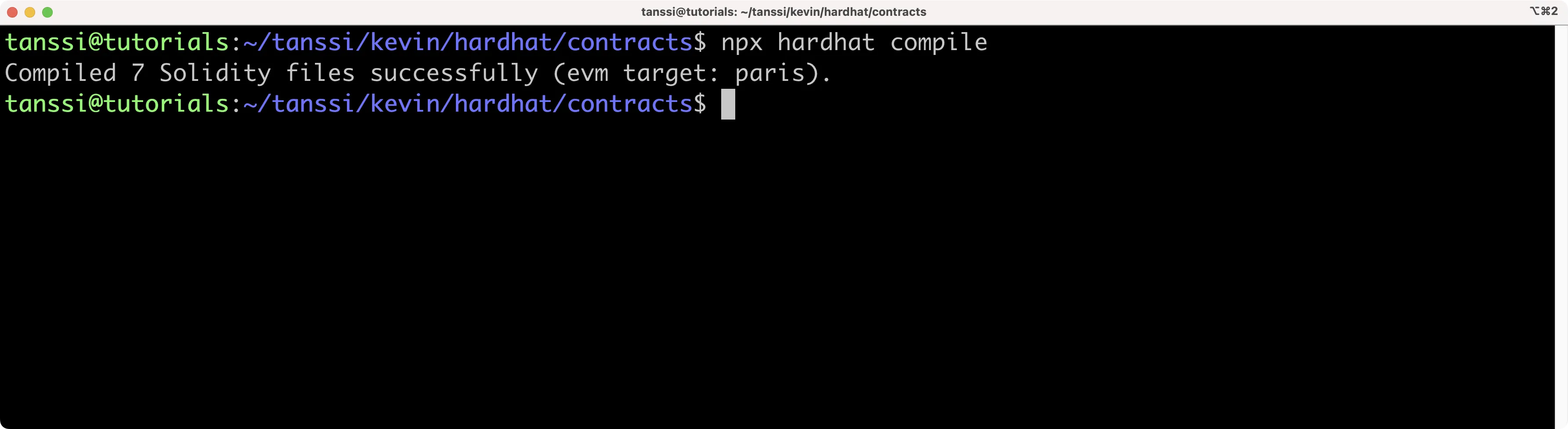
Esse comando compila o contrato e gera o diretório artifacts contendo o ABI.
Para implantar, criaremos um script que faz o deploy do contrato ERC-20 e cunha uma oferta inicial de 1000 MYTOK usando a conta da Alith. A oferta inicial será enviada ao owner do contrato (Alith).
Siga os passos:
-
Crie o diretório e o arquivo do script:
mkdir -p scripts && touch scripts/deploy.js -
No arquivo
deploy.js, adicione:deploy.js
// scripts/deploy.js const hre = require('hardhat'); require('@nomicfoundation/hardhat-ethers'); async function main() { // Get ERC-20 contract const MyTok = await hre.ethers.getContractFactory('MyTok'); // Define custom gas price and gas limit // This is a temporary stopgap solution to a bug const customGasPrice = 50000000000; // example for 50 gwei const customGasLimit = 5000000; // example gas limit // Deploy the contract providing a gas price and gas limit const myTok = await MyTok.deploy({ gasPrice: customGasPrice, gasLimit: customGasLimit, }); // Wait for the deployment await myTok.waitForDeployment(); console.log(`Contract deployed to ${myTok.target}`); } main().catch((error) => { console.error(error); process.exitCode = 1; }); -
Execute o script usando a configuração da rede
demodefinida emhardhat.config.js:npx hardhat run scripts/deploy.js --network demo
O endereço do contrato implantado será exibido no terminal. Guarde-o; precisaremos dele para interagir com o contrato na próxima seção.
Transferir ERC-20s
Como vamos indexar eventos Transfer, enviaremos algumas transações transferindo tokens da conta de Alith para outras contas de teste. Criaremos um script simples que transfere 10 MYTOKs para Baltathar, Charleth, Dorothy e Ethan. Siga:
Crie um novo script para enviar transações:
touch scripts/transactions.js
No arquivo transactions.js, adicione o script abaixo e insira o endereço do contrato MyTok implantado (exibido no passo anterior):
transactions.js
// We require the Hardhat Runtime Environment explicitly here. This is optional
// but useful for running the script in a standalone fashion through `node <script>`.
//
// You can also run a script with `npx hardhat run <script>`. If you do that, Hardhat
// will compile your contracts, add the Hardhat Runtime Environment's members to the
// global scope, and execute the script.
const hre = require('hardhat');

async function main() {
  // Get Contract ABI
  const MyTok = await hre.ethers.getContractFactory('MyTok');

  // Define custom gas price and gas limit
  // Gas price is typically specified in 'wei' and gas limit is just a number
  // You can use Ethers.js utility functions to convert from gwei or ether if needed
  const customGasPrice = 50000000000; // example for 50 gwei
  const customGasLimit = 5000000; // example gas limit

  // Plug ABI to address
  const myTok = await MyTok.attach('INSERT_CONTRACT_ADDRESS');

  const value = 100000000000000000n;

  let tx;
  // Transfer to Baltathar
  tx = await myTok.transfer(
    '0x3Cd0A705a2DC65e5b1E1205896BaA2be8A07c6e0',
    value,
    {
      gasPrice: customGasPrice,
      gasLimit: customGasLimit,
    }
  );
  await tx.wait();
  console.log(`Transfer to Baltathar with TxHash ${tx.hash}`);

  // Transfer to Charleth
  tx = await myTok.transfer(
    '0x798d4Ba9baf0064Ec19eB4F0a1a45785ae9D6DFc',
    value,
    {
      gasPrice: customGasPrice,
      gasLimit: customGasLimit,
    }
  );
  await tx.wait();
  console.log(`Transfer to Charleth with TxHash ${tx.hash}`);

  // Transfer to Dorothy
  tx = await myTok.transfer(
    '0x773539d4Ac0e786233D90A233654ccEE26a613D9',
    value,
    {
      gasPrice: customGasPrice,
      gasLimit: customGasLimit,
    }
  );
  await tx.wait();
  console.log(`Transfer to Dorothy with TxHash ${tx.hash}`);

  // Transfer to Ethan
  tx = await myTok.transfer(
    '0xFf64d3F6efE2317EE2807d223a0Bdc4c0c49dfDB',
    value,
    {
      gasPrice: customGasPrice,
      gasLimit: customGasLimit,
    }
  );
  await tx.wait();
  console.log(`Transfer to Ethan with TxHash ${tx.hash}`);
}

// We recommend this pattern to be able to use async/await everywhere
// and properly handle errors.
main().catch((error) => {
  console.error(error);
  process.exitCode = 1;
});
Execute o script para enviar as transações:
npx hardhat run scripts/transactions.js --network demo
Cada transação enviará um log para o terminal.
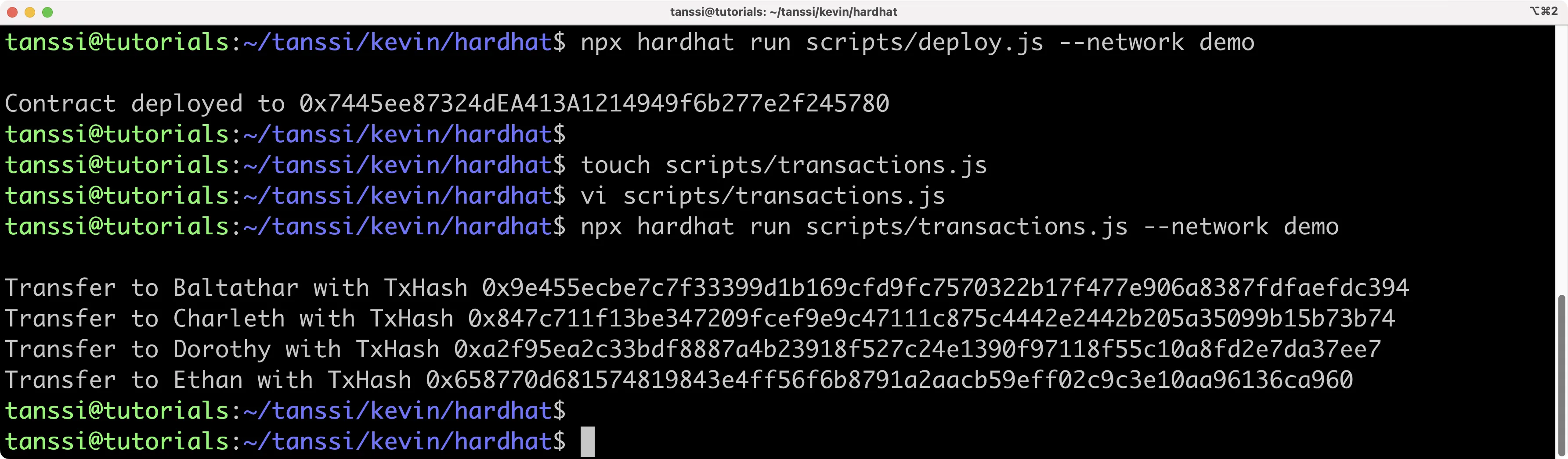
Agora podemos criar o Squid para indexar os dados no nó local de desenvolvimento.
Criar um Projeto Squid
Vamos criar o projeto Subquid. Primeiro, instale o Squid CLI:
npm i -g @subsquid/cli@latest
Para verificar a instalação:
sqd --version
Agora podemos usar o comando sqd no projeto. Para criá-lo, usaremos o flag --template (-t) e o template EVM Squid, que é um projeto inicial para indexar cadeias EVM.
Execute o comando para criar um EVM Squid chamado tanssi-squid:
sqd init tanssi-squid --template evm
Isso criará um Squid com todas as dependências. Instale-as:
cd tanssi-squid && npm ci
Com o ponto de partida pronto, vamos configurar o projeto para indexar eventos Transfer do ERC-20 na nossa rede Tanssi.
Configurar o Indexador para Transferências ERC-20
Para indexar transferências ERC-20, faremos:
- Definir o schema do banco e gerar as classes de entidades
- Usar o ABI do contrato
ERC20para gerar classes de interface TypeScript - Configurar o processor especificando exatamente quais dados ingerir
- Transformar os dados e inseri-los em um banco TypeORM em
main.ts - Rodar o indexador e consultar o squid
Primeiro, defina o schema para os dados de transferência. Edite o arquivo schema.graphql (na raiz) e crie as entidades Transfer e Account. Copie o schema abaixo, removendo qualquer schema existente.
schema.graphql
type Account @entity {
  "Account address"
  id: ID!
  transfersFrom: [Transfer!] @derivedFrom(field: "from")
  transfersTo: [Transfer!] @derivedFrom(field: "to")
}

type Transfer @entity {
  id: ID!
  blockNumber: Int!
  timestamp: DateTime!
  txHash: String!
  from: Account!
  to: Account!
  amount: BigInt!
}
Agora gere as classes de entidades a partir do schema (criadas em src/model/generated):
sqd codegen
No próximo passo, usaremos o ABI do ERC-20 para gerar classes de interface TypeScript. Abaixo há um ABI padrão do ERC-20. Copie-o para um arquivo erc20.json na pasta abi na raiz do projeto.
ERC-20 ABI
[
  {
    "constant": true,
    "inputs": [],
    "name": "name",
    "outputs": [
      {
        "name": "",
        "type": "string"
      }
    ],
    "payable": false,
    "stateMutability": "view",
    "type": "function"
  },
  {
    "constant": false,
    "inputs": [
      {
        "name": "_spender",
        "type": "address"
      },
      {
        "name": "_value",
        "type": "uint256"
      }
    ],
    "name": "approve",
    "outputs": [
      {
        "name": "",
        "type": "bool"
      }
    ],
    "payable": false,
    "stateMutability": "nonpayable",
    "type": "function"
  },
  {
    "constant": true,
    "inputs": [],
    "name": "totalSupply",
    "outputs": [
      {
        "name": "",
        "type": "uint256"
      }
    ],
    "payable": false,
    "stateMutability": "view",
    "type": "function"
  },
  {
    "constant": false,
    "inputs": [
      {
        "name": "_from",
        "type": "address"
      },
      {
        "name": "_to",
        "type": "address"
      },
      {
        "name": "_value",
        "type": "uint256"
      }
    ],
    "name": "transferFrom",
    "outputs": [
      {
        "name": "",
        "type": "bool"
      }
    ],
    "payable": false,
    "stateMutability": "nonpayable",
    "type": "function"
  },
  {
    "constant": true,
    "inputs": [],
    "name": "decimals",
    "outputs": [
      {
        "name": "",
        "type": "uint8"
      }
    ],
    "payable": false,
    "stateMutability": "view",
    "type": "function"
  },
  {
    "constant": true,
    "inputs": [
      {
        "name": "_owner",
        "type": "address"
      }
    ],
    "name": "balanceOf",
    "outputs": [
      {
        "name": "balance",
        "type": "uint256"
      }
    ],
    "payable": false,
    "stateMutability": "view",
    "type": "function"
  },
  {
    "constant": true,
    "inputs": [],
    "name": "symbol",
    "outputs": [
      {
        "name": "",
        "type": "string"
      }
    ],
    "payable": false,
    "stateMutability": "view",
    "type": "function"
  },
  {
    "constant": false,
    "inputs": [
      {
        "name": "_to",
        "type": "address"
      },
      {
        "name": "_value",
        "type": "uint256"
      }
    ],
    "name": "transfer",
    "outputs": [
      {
        "name": "",
        "type": "bool"
      }
    ],
    "payable": false,
    "stateMutability": "nonpayable",
    "type": "function"
  },
  {
    "constant": true,
    "inputs": [
      {
        "name": "_owner",
        "type": "address"
      },
      {
        "name": "_spender",
        "type": "address"
      }
    ],
    "name": "allowance",
    "outputs": [
      {
        "name": "",
        "type": "uint256"
      }
    ],
    "payable": false,
    "stateMutability": "view",
    "type": "function"
  },
  {
    "payable": true,
    "stateMutability": "payable",
    "type": "fallback"
  },
  {
    "anonymous": false,
    "inputs": [
      {
        "indexed": true,
        "name": "owner",
        "type": "address"
      },
      {
        "indexed": true,
        "name": "spender",
        "type": "address"
      },
      {
        "indexed": false,
        "name": "value",
        "type": "uint256"
      }
    ],
    "name": "Approval",
    "type": "event"
  },
  {
    "anonymous": false,
    "inputs": [
      {
        "indexed": true,
        "name": "from",
        "type": "address"
      },
      {
        "indexed": true,
        "name": "to",
        "type": "address"
      },
      {
        "indexed": false,
        "name": "value",
        "type": "uint256"
      }
    ],
    "name": "Transfer",
    "type": "event"
  }
]
Em seguida, use o ABI para gerar as interfaces TypeScript:
sqd typegen
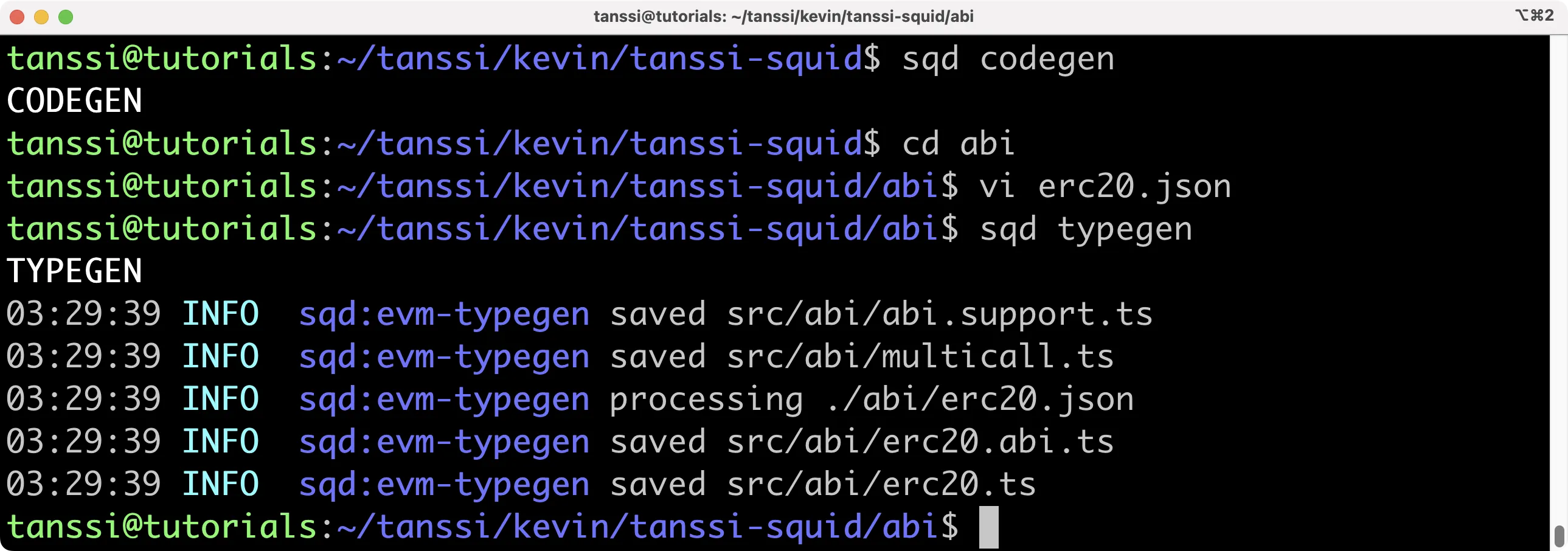
Isso gera as classes em src/abi/erc20.ts. Neste tutorial, usaremos os events.
Configurar o Processor
O arquivo processor.ts indica ao SQD quais dados ingerir. A transformação virá depois. Em processor.ts, precisamos indicar fonte de dados, endereço do contrato, evento(s) a indexar e intervalo de blocos.
Abra src/processor.ts. Primeiro, informe ao processor qual contrato nos interessa. Crie a constante do endereço assim:
export const CONTRACT_ADDRESS = 'INSERT_CONTRACT_ADDRESS'.toLowerCase();
O .toLowerCase() é fundamental porque o processor diferencia maiúsculas/minúsculas e alguns explorers exibem endereços com capitalização. Em seguida, localize export const processor = new EvmBatchProcessor() seguido de .setDataSource. Faremos algumas alterações. O SQD tem archives disponíveis para várias cadeias que aceleram a obtenção de dados, mas é improvável que sua rede já tenha um archive hospedado. Sem problema: o SQD pode obter os dados via RPC da sua rede. Comente ou remova a linha do archive. O código deve ficar assim:
.setDataSource({
  chain: {
    url: assertNotNull(
      'https://services.tanssi-testnet.network/dancelight-2001/'
    ),
    rateLimit: 300,
  },
})
O template vem com uma variável para a URL RPC no .env. Você pode substituir pela URL da sua rede. Para demonstração, a URL da rede EVM de teste está hardcoded acima. Se preferir definir no .env, a linha ficará:
RPC_ENDPOINT=https://services.tanssi-testnet.network/dancelight-2001/
Agora defina o evento a indexar:
.addLog({
  address: [contractAddress],
  topic0: [erc20.events.Transfer.topic],
  transaction: true,
})
O evento Transfer está em erc20.ts, gerado pelo sqd typegen. O import import * as erc20 from './abi/erc20' já vem no template.
O intervalo de blocos é importante para restringir o escopo. Por exemplo, se você implantou o ERC-20 no bloco 650000, não há motivo para consultar blocos anteriores. Definir um intervalo preciso melhora a performance do indexador. Configure o bloco inicial assim:
.setBlockRange({from: 632400,})
O bloco escolhido corresponde ao início relevante na rede EVM de demonstração; troque para o bloco adequado à sua rede.
Altere setFields para especificar os dados a ingerir:
.setFields({
  log: {
    topics: true,
    data: true,
  },
  transaction: {
    hash: true,
  },
})
Também adicione estes imports em processor.ts:
import { Store } from '@subsquid/typeorm-store';
import * as erc20 from './abi/erc20';
Após concluir, seu processor.ts deve estar parecido com:
processor.ts
import { assertNotNull } from '@subsquid/util-internal';
import {
  BlockHeader,
  DataHandlerContext,
  EvmBatchProcessor,
  EvmBatchProcessorFields,
  Log as _Log,
  Transaction as _Transaction,
} from '@subsquid/evm-processor';
import { Store } from '@subsquid/typeorm-store';
import * as erc20 from './abi/erc20';

// Here you'll need to import the contract
export const contractAddress = 'INSERT_CONTRACT_ADDRESS'.toLowerCase();

export const processor = new EvmBatchProcessor()
  .setDataSource({
    chain: {
      url: assertNotNull(
        'https://services.tanssi-testnet.network/dancelight-2001'
      ),
      rateLimit: 300,
    },
  })
  .setFinalityConfirmation(10)
  .setFields({
    log: {
      topics: true,
      data: true,
    },
    transaction: {
      hash: true,
    },
  })
  .addLog({
    address: [contractAddress],
    topic0: [erc20.events.Transfer.topic],
    transaction: true,
  })
  .setBlockRange({
    from: INSERT_START_BLOCK, // Note the lack of quotes here
  });

export type Fields = EvmBatchProcessorFields<typeof processor>;
export type Block = BlockHeader<Fields>;
export type Log = _Log<Fields>;
export type Transaction = _Transaction<Fields>;
Transformar e Salvar os Dados
Enquanto processor.ts define o que é consumido, main.ts define como processar e transformar os dados. Em resumo, processamos os dados ingeridos pelo processor e inserimos os trechos desejados em um banco TypeORM. Para detalhes, consulte a documentação SQD sobre desenvolvimento de Squid.
O main.ts vai percorrer cada bloco processado em busca de eventos Transfer e decodificar detalhes como remetente, destinatário e valor. Ele também busca detalhes de contas e cria objetos de transferência com os dados extraídos, inserindo-os no TypeORM para consulta fácil. Em ordem:
main.tsroda o processor e refina os dados coletados. Emprocessor.run, o processor percorre os blocos selecionados e busca logs deTransfer, armazenando-os em um array de eventos de transferência para processamento posterior- A interface
transferEventdefine a estrutura que guarda os dados extraídos dos logs getTransferé um helper que extrai e decodifica dados do eventoTransferde um log, retornando um objetoTransferEventcom ID da transação, número do bloco, remetente, destinatário e valor. É chamado ao armazenar os eventos relevantes no arrayprocessTransfersenriquece os dados e insere os registros no banco TypeORM usandoctx.store. O Templateaccount, embora não estritamente necessário, permite introduzir outra entidade no schema para demonstrar múltiplas entidades no SquidgetAccounté um helper que recupera/cria objetos de conta. Dado um ID e um mapa de contas existentes, retorna a conta correspondente; se não existir, cria, adiciona ao mapa e retorna
Mostraremos uma query de exemplo adiante. Copie o código abaixo para main.ts:
main.ts
import { In } from 'typeorm';
import { assertNotNull } from '@subsquid/evm-processor';
import { TypeormDatabase } from '@subsquid/typeorm-store';
import * as erc20 from './abi/erc20';
import { Account, Transfer } from './model';
import {
  Block,
  contractAddress,
  Log,
  Transaction,
  processor,
} from './processor';

// 1. Iterate through all selected blocks and look for transfer events,
// storing the relevant events in an array of transfer events
processor.run(new TypeormDatabase({ supportHotBlocks: true }), async (ctx) => {
  let transfers: TransferEvent[] = [];

  for (let block of ctx.blocks) {
    for (let log of block.logs) {
      if (
        log.address === contractAddress &&
        log.topics[0] === erc20.events.Transfer.topic
      ) {
        transfers.push(getTransfer(ctx, log));
      }
    }
  }

  await processTransfers(ctx, transfers);
});

// 2. Define an interface to hold the data from the transfer events
interface TransferEvent {
  id: string;
  block: Block;
  transaction: Transaction;
  from: string;
  to: string;
  amount: bigint;
}

// 3. Extract and decode ERC-20 transfer event data from a log entry
function getTransfer(ctx: any, log: Log): TransferEvent {
  let event = erc20.events.Transfer.decode(log);

  let from = event.from.toLowerCase();
  let to = event.to.toLowerCase();
  let amount = event.value;

  let transaction = assertNotNull(log.transaction, `Missing transaction`);

  return {
    id: log.id,
    block: log.block,
    transaction,
    from,
    to,
    amount,
  };
}

// 4. Enrich and insert data into typeorm database
async function processTransfers(ctx: any, transfersData: TransferEvent[]) {
  let accountIds = new Set<string>();
  for (let t of transfersData) {
    accountIds.add(t.from);
    accountIds.add(t.to);
  }

  let accounts = await ctx.store
    .findBy(Account, { id: In([...accountIds]) })
    .then((q: any[]) => new Map(q.map((i: any) => [i.id, i])));

  let transfers: Transfer[] = [];

  for (let t of transfersData) {
    let { id, block, transaction, amount } = t;

    let from = getAccount(accounts, t.from);
    let to = getAccount(accounts, t.to);

    transfers.push(
      new Transfer({
        id,
        blockNumber: block.height,
        timestamp: new Date(block.timestamp),
        txHash: transaction.hash,
        from,
        to,
        amount,
      })
    );
  }

  await ctx.store.upsert(Array.from(accounts.values()));
  await ctx.store.insert(transfers);
}

// 5. Helper function to get account object
function getAccount(m: Map<string, Account>, id: string): Account {
  let acc = m.get(id);
  if (acc == null) {
    acc = new Account();
    acc.id = id;
    m.set(id, acc);
  }
  return acc;
}
Pronto, já podemos rodar o indexador!
Rodar o Indexador
Para rodar, execute a sequência de comandos sqd:
Compile o projeto:
sqd build
Suba o banco:
sqd up
Remova o arquivo de migration que vem com o template EVM e gere um novo para nosso schema:
sqd migration:generate
sqd migration:apply
Inicie o processor:
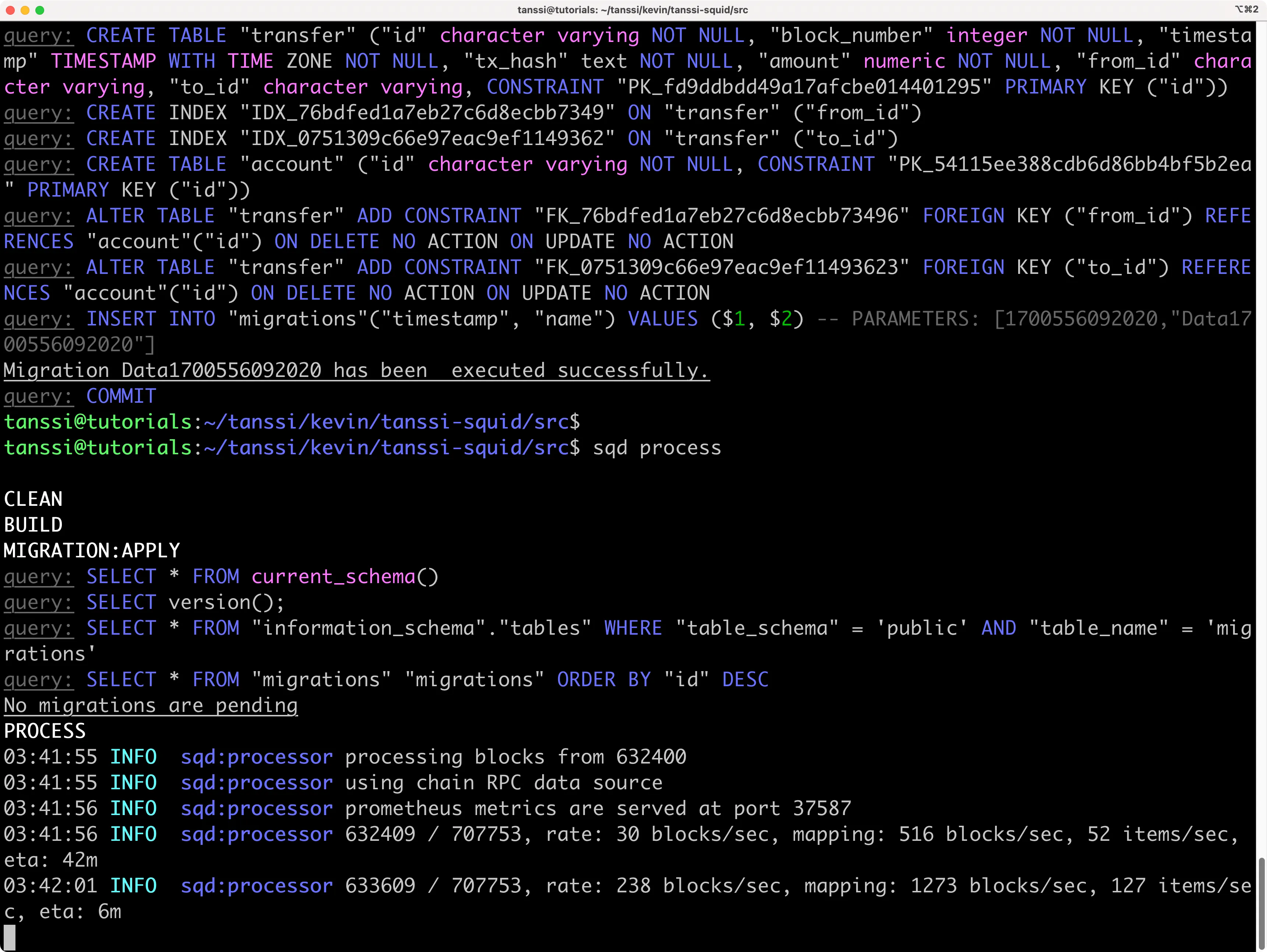
sqd process
No terminal, você verá o indexador começando a processar blocos!
Consultar o Squid
Para consultar o squid, abra um novo terminal no projeto e rode:
sqd serve
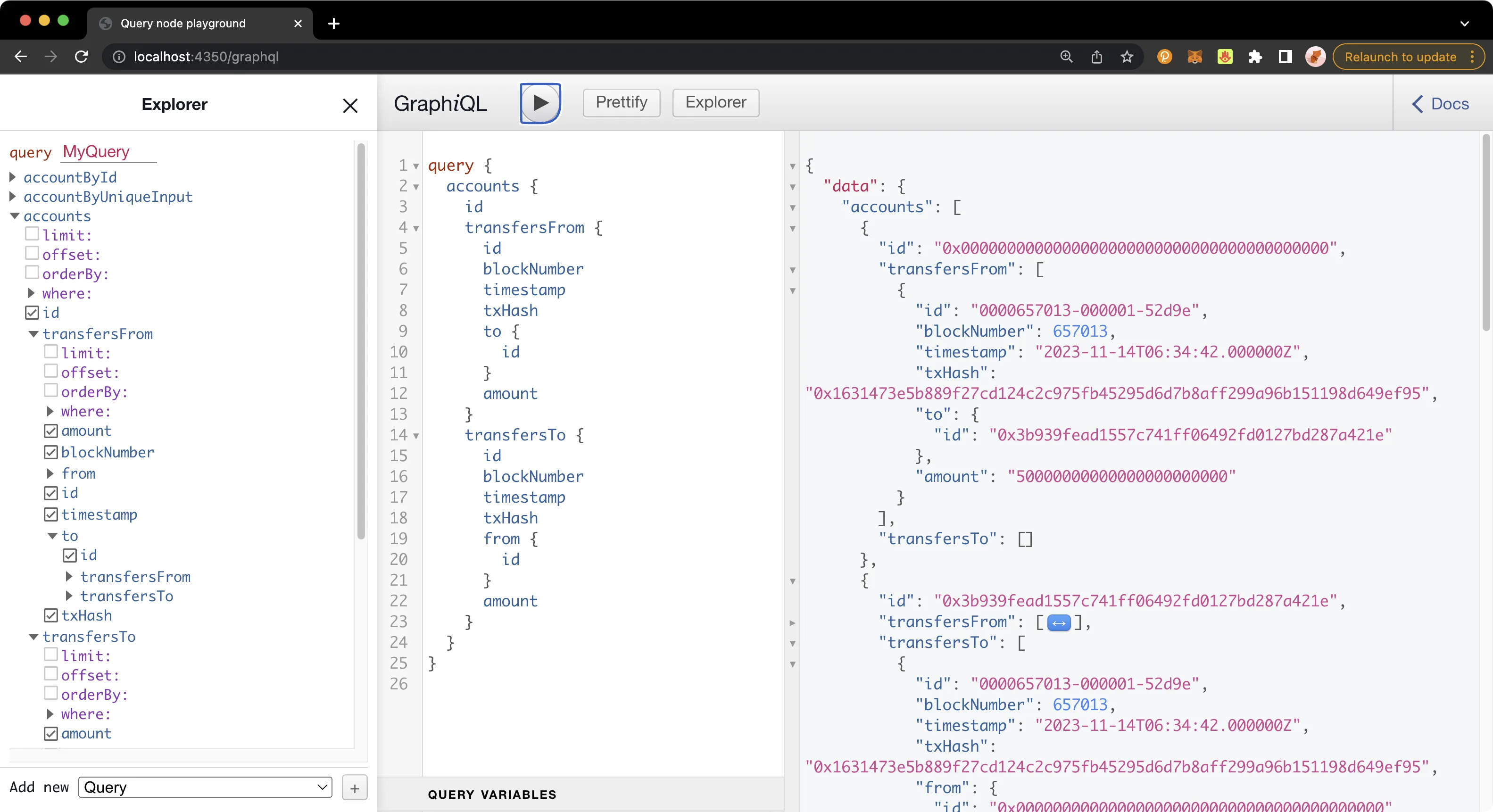
Pronto! Agora você pode fazer queries no playground GraphQL em http://localhost:4350/graphql. Crie sua própria query ou use a abaixo:
Exemplo de query
query {
  accounts {
    id
    transfersFrom {
      id
      blockNumber
      timestamp
      txHash
      to {
        id
      }
      amount
    }
    transfersTo {
      id
      blockNumber
      timestamp
      txHash
      from {
        id
      }
      amount
    }
  }
}
Depurar o Squid
Pode parecer difícil depurar erros ao construir o Squid, mas há técnicas para facilitar. Primeiro, se encontrar erros, habilite o modo debug no .env descomentando a linha de debug. Isso gera logs bem mais verbosos e ajuda a localizar o problema.
# Descomentar a linha abaixo habilita o modo debug
SQD_DEBUG=*
Você também pode adicionar logs diretamente em main.ts para indicar parâmetros específicos, como altura de bloco. Por exemplo, veja esta versão de main.ts com logging detalhado:
main.ts
import { In } from 'typeorm';
import { assertNotNull } from '@subsquid/evm-processor';
import { TypeormDatabase } from '@subsquid/typeorm-store';
import * as erc20 from './abi/erc20';
import { Account, Transfer } from './model';
import {
  Block,
  contractAddress,
  Log,
  Transaction,
  processor,
} from './processor';

processor.run(new TypeormDatabase({ supportHotBlocks: true }), async (ctx) => {
  ctx.log.info('Processor started');
  let transfers: TransferEvent[] = [];

  ctx.log.info(`Processing ${ctx.blocks.length} blocks`);
  for (let block of ctx.blocks) {
    ctx.log.debug(`Processing block number ${block.header.height}`);
    for (let log of block.logs) {
      ctx.log.debug(`Processing log with address ${log.address}`);
      if (
        log.address === contractAddress &&
        log.topics[0] === erc20.events.Transfer.topic
      ) {
        ctx.log.info(`Transfer event found in block ${block.header.height}`);
        transfers.push(getTransfer(ctx, log));
      }
    }
  }

  ctx.log.info(`Found ${transfers.length} transfers, processing...`);
  await processTransfers(ctx, transfers);
  ctx.log.info('Processor finished');
});

interface TransferEvent {
  id: string;
  block: Block;
  transaction: Transaction;
  from: string;
  to: string;
  amount: bigint;
}

function getTransfer(ctx: any, log: Log): TransferEvent {
  let event = erc20.events.Transfer.decode(log);

  let from = event.from.toLowerCase();
  let to = event.to.toLowerCase();
  let amount = event.value;

  let transaction = assertNotNull(log.transaction, `Missing transaction`);

  ctx.log.debug(
    `Decoded transfer event: from ${from} to ${to} amount ${amount.toString()}`
  );
  return {
    id: log.id,
    block: log.block,
    transaction,
    from,
    to,
    amount,
  };
}

async function processTransfers(ctx: any, transfersData: TransferEvent[]) {
  ctx.log.info('Starting to process transfer data');
  let accountIds = new Set<string>();
  for (let t of transfersData) {
    accountIds.add(t.from);
    accountIds.add(t.to);
  }

  ctx.log.debug(`Fetching accounts for ${accountIds.size} addresses`);
  let accounts = await ctx.store
    .findBy(Account, { id: In([...accountIds]) })
    .then((q: any[]) => new Map(q.map((i: any) => [i.id, i])));
  ctx.log.info(
    `Accounts fetched, processing ${transfersData.length} transfers`
  );

  let transfers: Transfer[] = [];

  for (let t of transfersData) {
    let { id, block, transaction, amount } = t;

    let from = getAccount(accounts, t.from);
    let to = getAccount(accounts, t.to);

    transfers.push(
      new Transfer({
        id,
        blockNumber: block.height,
        timestamp: new Date(block.timestamp),
        txHash: transaction.hash,
        from,
        to,
        amount,
      })
    );
  }

  ctx.log.debug(`Upserting ${accounts.size} accounts`);
  await ctx.store.upsert(Array.from(accounts.values()));
  ctx.log.debug(`Inserting ${transfers.length} transfers`);
  await ctx.store.insert(transfers);
  ctx.log.info('Transfer data processing completed');
}

function getAccount(m: Map<string, Account>, id: string): Account {
  let acc = m.get(id);
  if (acc == null) {
    acc = new Account();
    acc.id = id;
    m.set(id, acc);
  }
  return acc;
}
Consulte o guia de logging do SQD para mais informações sobre o modo debug.
Erros Comuns
Alguns erros comuns ao construir o projeto e como resolvê-los:
Error response from daemon: driver failed programming external connectivity on endpoint my-awesome-squid-db-1
(49df671a7b0531abbb5dc5d2a4a3f5dc7e7505af89bf0ad1e5480bd1cdc61052):
Bind for 0.0.0.0:23798 failed: port is already allocated
Esse erro indica que você tem outra instância do SQD rodando. Pare-a com sqd down ou clicando em Stop no container no Docker Desktop.
Error: connect ECONNREFUSED 127.0.0.1:23798
     at createConnectionError (node:net:1634:14)
     at afterConnectMultiple (node:net:1664:40) {
     errno: -61,code: 'ECONNREFUSED',syscall: 'connect',
     address: '127.0.0.1',port: 23798}
Para resolver, rode sqd up antes de sqd migration:generate.
Seu Squid está sem erros, mas nenhuma transferência aparece? Verifique se os logs estão consistentes e iguais aos esperados pelo processor. O endereço do contrato também precisa estar em minúsculas; garanta isso definindo assim:
export const contractAddress = '0x37822de108AFFdd5cDCFDaAa2E32756Da284DB85'.toLowerCase();
| Criada: 30 de janeiro de 2026